Outline
- Digression: LENS Performance Assessment
- High-level concepts and discussion about physical computer instruments
- Two appoarches: instrumental and compositional (adapted from “Composing Interactions” - Marije Baalman)
- The question of mapping
- Micro:bit live demo making a simple movement-based MIDI interface
Digression: LENS Performance Assessment
LENS Performance
Let’s talk about practical matters for the final LENS performances.
- Final assessment for this course (40%)
- an in-person ensemble performance that you will participate in with your group
- individual assessment, one performance per ensemble member.
What you are making
You will create a computer music system that can be performed live by a group of students at a live concert. This could take the form of a new computer music instrument or composition that a group of performers can control.
This means:
a computer music system created by you performing original music with your group.
Do not play covers or music created by other people. That is not acceptable in this assessment or this course.
Part 1: Your Ensemble Performance
- must involve all members of your LENS ensemble (at least 3 people)
- must be created with one or more of the computer music languages studied this semester
- must be 4-5 minutes in length (i.e., 240–300 seconds)
- must be presented at a LENS performance and recorded through our HDMI mixer system.
- must have the video uploaded into your GitLab repository by the due date.
Part 2: Your Performance Materials
You must submit your performance materials through GitLab in your fork of the LENS performance repository.
Your performance materials:
- must include all patches, code, sound files, scores, instructions required to produce your performance (upload to GitLab)
-
must include a
README.mdfile explaining how to get your performance up and running and including screenshots and code listings of the important part of this performance. - must include the video of your ensemble performance from your concert.
Everything is marked from the GitLab Repo; it’s all due on 6 June, 2025, 23:59.
Concert Dates, Times, Location
Dates and Times between May 28 and June 6, 2025.
- Big Band Room 1.55, Ground Floor, Peter Karmel Building 121.
- Lecture Theatre 1 (LT1) Room 509, Level 5, ANU School of Music Building 100.
⛔️ You can’t complete your ensemble performance outside of our provided dates and times, this counts as an exam. ⛔️
Concerts
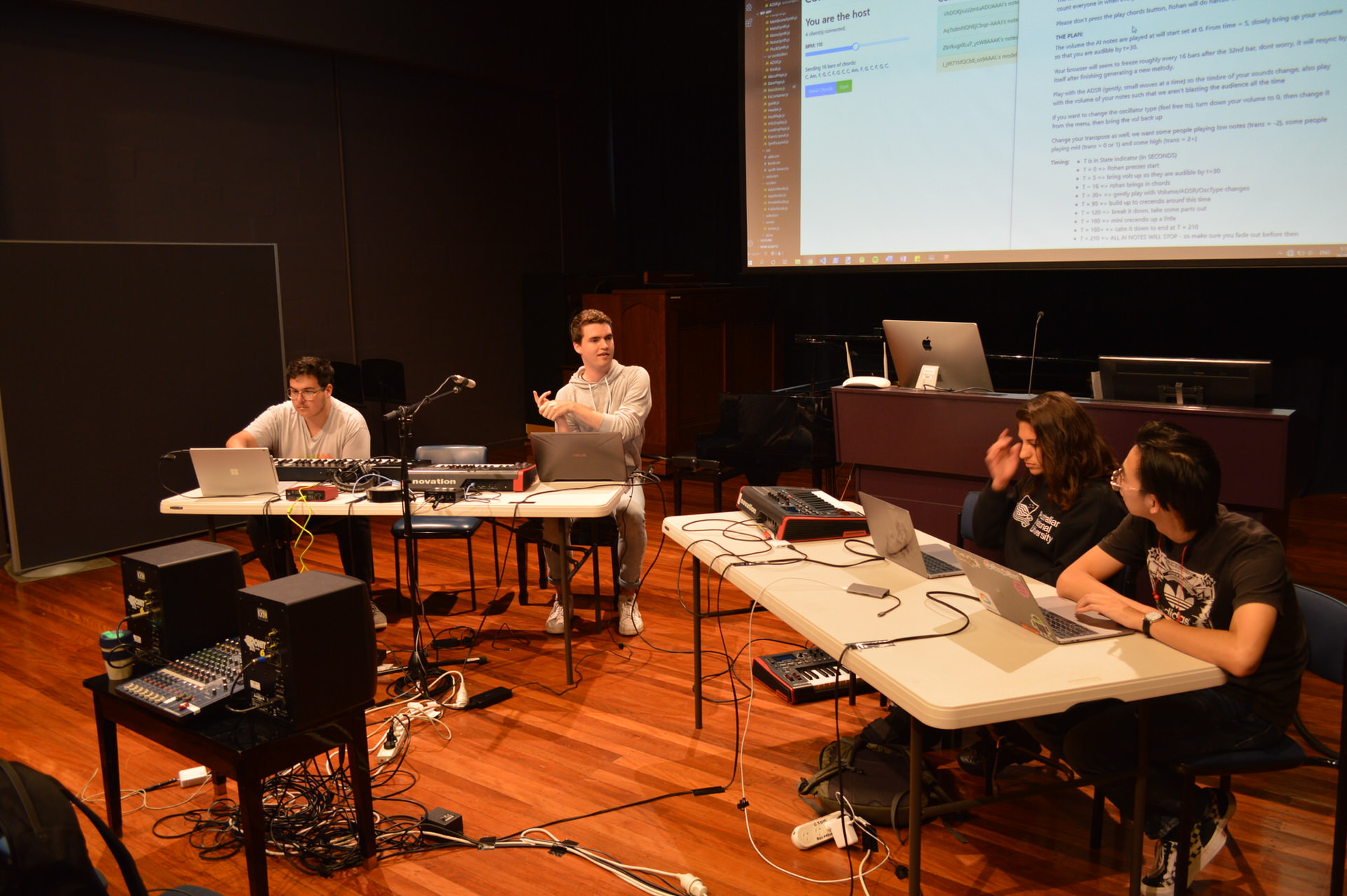
- Each group gets
onetimeslot to perform each of your pieces (3-4) in one 45 minute concert. - You must be prepared to play each piece in sequence with little changeover time (<5mins changeover).
- Technical setup will be very strictly controlled.
You can test your computers on our HDMI system at drop-in sessions in Week 11 and 12.
Allocation

- Discuss with your group what your time constraints are (i.e., other exams)
- In week 10 workshop, book a time that your group is available.
You will need to be flexible and organised. We cannot guarantee you won’t have a concert on the same day as another exam.
Technical Setup

We will provide for each laptop:
- HDMI input (for your video and sound)
- power outlet for your laptop
- WiFi router (hopefully with internet)
You need to provide whatever adapters or cables are necessary to connect HDMI to your computer, you should also bring your power adapter.
External Equipment
You are allowed to use equipment external to your laptop for the purpose of controlling your computer music software in the final performance. This includes MIDI controllers, human-interface devices, arduinos, microbits, etc. There are a few caveats:
- You may not use any equipment that requires AC power (that is, USB-powered or battery powered equipment only).
- You may not use any equipment that requires more than one person to carry.
- You may not use any equipment that creates sound which is used in your performance (i.e., external synthesisers, DJ decks, samplers are not allowed).
Keep in mind that you are creating an ensemble performance and any equipment used should contribute to how your ensemble works together to create music.
External Software
-
You are allowed to use libraries or extensions for the computer music systems used in the course, but these should be clearly documented and listed as a reference in your performance materials.
-
You are allowed to use middleware that goes in between computer music software and an external or internal hardware interface (e.g., Osculator, Wekinator or MobMuPlat).
-
You are not allowed to use music production software such as Ableton Live, ProTools or Logic in your performance.
-
Any external libraries that you use should be used in a sophisticated, original, and independent way in order to show your attainment of the learning outcomes.
Integrity
Use of external non-referenced software in your performance is a breach of academic integrity at ANU.
You must reference:
- any software not created by you
- any hardware systems required for your performance
- any software developed in collaboration with another student
We expect collaboration in this course—the tradeoff is we expect precise and complete referencing.
Don’t claim other’s work is your own—even by accident!!
Interactive Ensemble Music Making

The big challenge in a LENS performance:
writing some synths that sound cool- figuring out who does what
- figuring out how to structure a performance (= organised sound, composition)
Give each performer less to do than you think you need to. Expect performers to think and communicate. Give performers creative control. Good performance is risky!
Making Hardware Interfaces
Recap: Incorporating Soft-/Hardware Interfaces in Pd
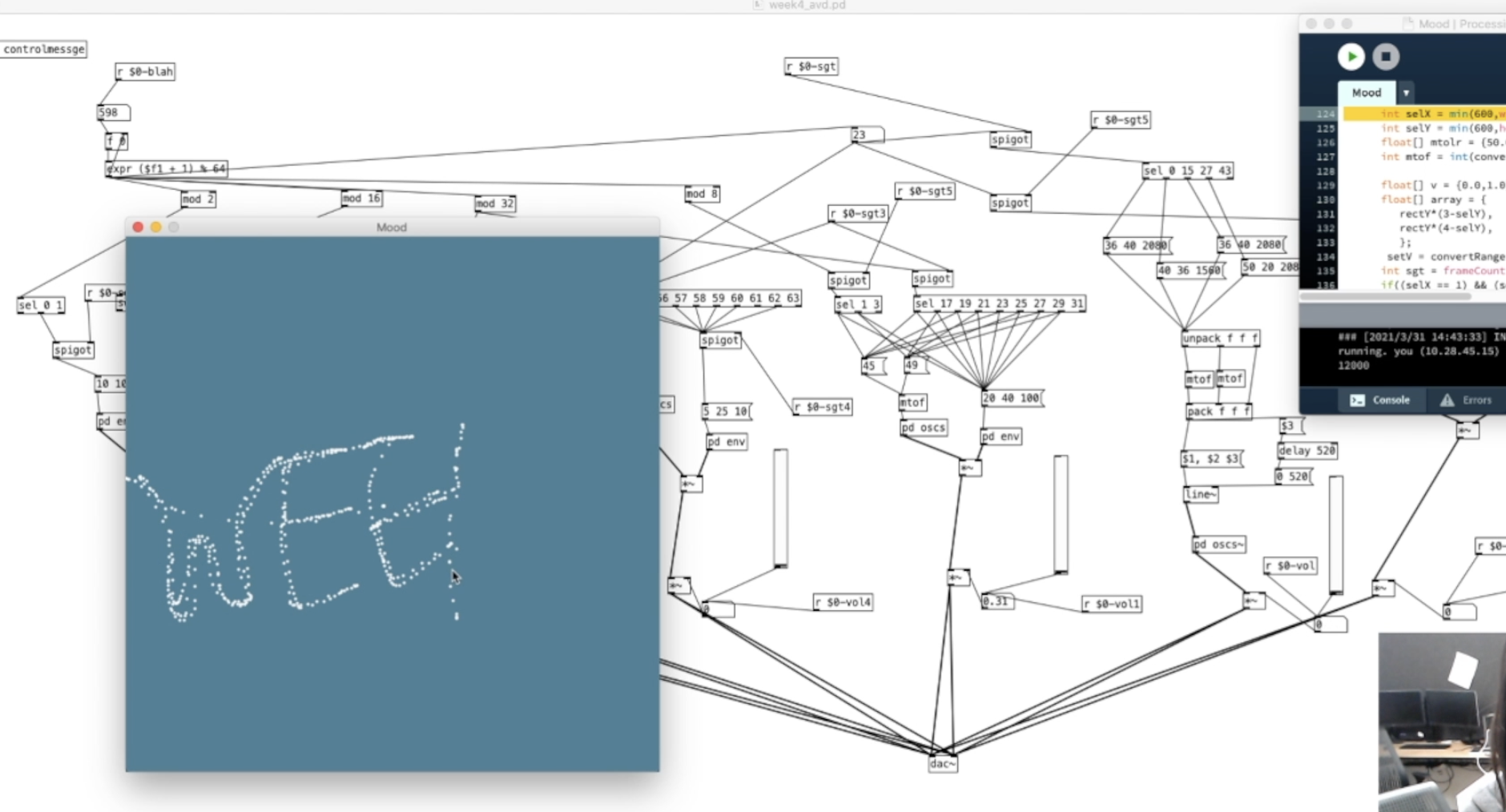
- Buttons, sliders, selectors.
- Keyboard:
key,mouse, etc. - External library Processing for more complex interactions.
Are there more interaction options beyond your computer?
Hardware Interface Devices

- Phones/Tablets can talk to your laptop via OSC
- Microcontrollers + sensors can talk via OSC, Serial, USB, Bluetooth, etc.
- E.g., Micro:bit, Arduino, Bela, etc.
- Dialogues in Space by Sandy Ma
Custom hardware: Let’s you experiment with new kinds of computing interfaces.
A Simple NIME Workflow

Some kind of sensors for input, microcontroller to process values and send serial/bluetooth/midi/OSC to your laptop.
Designing New Musical Interfaces
Instrumental Approach
Making things that are like regular musical instruments.
Inspired by the acoustic instrument and well-established music tradition, design related to the task of making sound.
Classifications (Miranda and Wanderlay, 2006):
- Augmented musical instruments: extended by sensors and/or controllers
- Instrument-like gestural controllers: model an acoustic instrument as closely as possible
- Instrument-inspired gestural controllers: inspired by acoustic ones but with new configuration
- Alternate gestural controllers: not directly modeled or inspired (“imaginary”)
The extended clarinet (2016) / Carl Normark et al.
Digital sound layer
Preserve the interaction complexity and playing virtuosity
Extending the clarinet’s bell through the performer’s motion and gestures
Extra pitch bending and note playback options with visuals
Svampolin (2019) / Laurel S. Pardue et al.
A custom-designed electrodynamic pickup capturing the velocity of each string
The Adapted Bass Guitar and The Strummi (2015 & 2018)/ Jacob Harrison
Accessible guitar instrument - touch screen guitar (?!)
When is a Guitar not a Guitar? Cultural Form, Input Modality and Expertise, NIME2018
Phaserings (2015) / Charles Martin
Percussion inspired: tap, rub, swirl gestures in a new kind of instrument.
A granular synthesis component in Pd
Cubing Sound (2022) / Yichen Wang
Exploring “imaginary” augmented reality instruments with freehand gestures
Performance practice around Canberra and beyond.
Other cool physical computer instruments

- Multi Rubbing Tactile Instrument
- An Easily Removable, wireless Optical Sensing System (EROSS) for the Trumpet
- Kontrol: Hand Gesture Recognition for Music and Dance Interaction - more like an interface?
See nime.org for more, and next week’s lecture.
Compositional Approach

Focuses on the concept of a musical composition, interface allows the composition to unfold.
“From providing instructions for performers to create music, to creating contexts for performances in which music may be experienced” - Marije Baalman
- You are the composer
- What systems, environments, connections, etc, are needed to enable your composition to be played?
Vital LMTD (2009) / Last Man to Die
Exploring three art forms: acting, percussion, and drawing through new interactive technologies and experimental performance
Twilight (2013) / SLOrk
Inspired by the classic science-fiction short story “Twilight” by John W. Campbell
The Mapping Problem
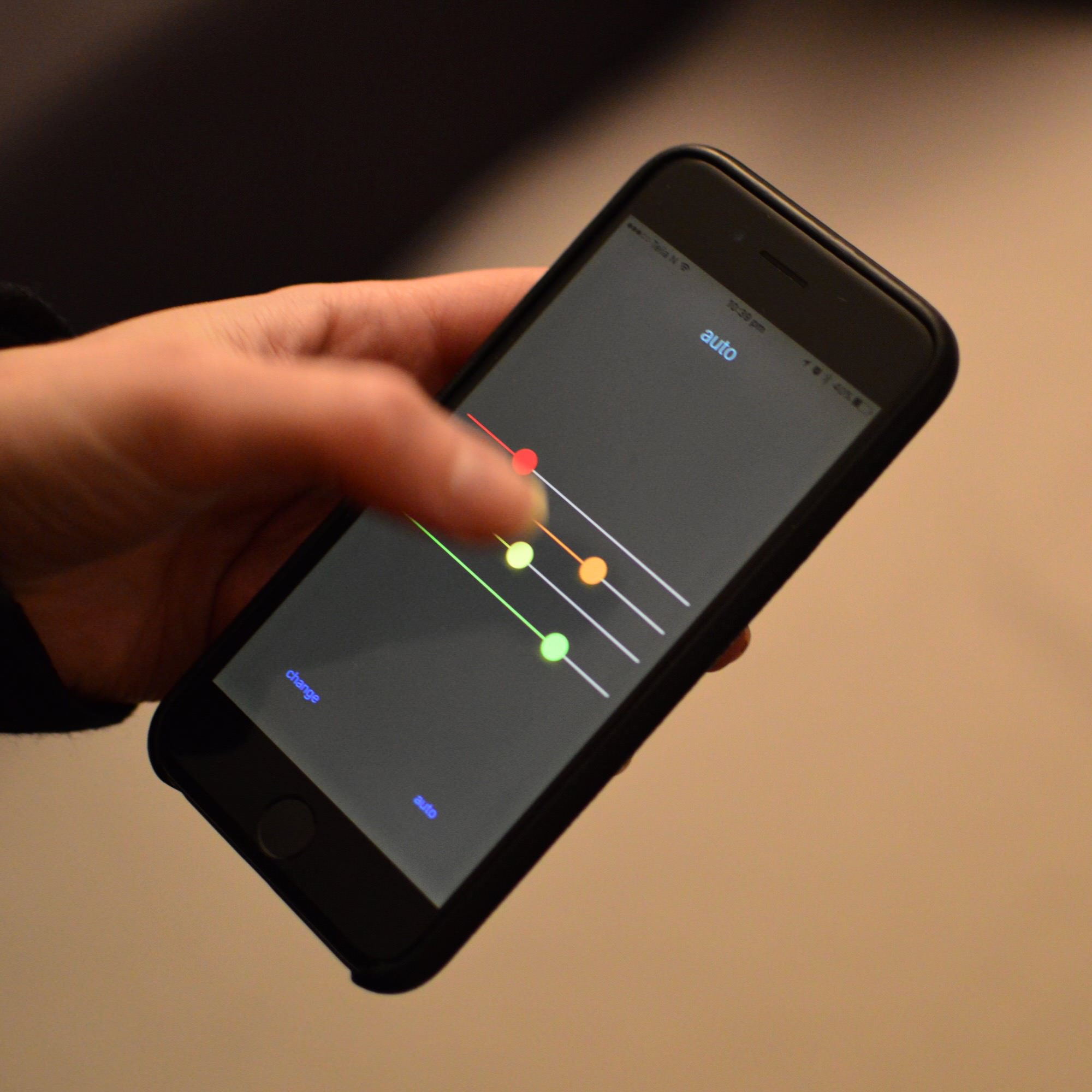
Connection between an action to a sonic output. Problem is that there are so many ways of connecting sensors to parameters!
- How do you want to control the sound & what is the interface?
- What sonic / musical process is controlled by the interface?
- What is sound modality / synth process are working with?
Mapping Questions

- Are the actions triggering sounds, modifying them or both?
- What parameters should be controlled?
- What range should be controlled?
- Is the mapping linear? Non-linear?
- Should the parameter be restricted to the “interesting part”?
- What about computational models with state? (e.g., algorithmic composition, synth mechanism, sampling)
- How does the sound output work?
Live demo: Micro:bit + Pd making interactive musical system
Micro:bit
- Hardware description
- Sensors:
- Accelerometer
- Temperature sensing
- Code examples
- Radio communications
Accelerometer to Serial
from microbit import *
import math

def norm_acc(x):
    new = round(min(max((x + 2000)/4000, 0.0), 1.0), 4)
    return new

def send_accelerometer_data():
    x, y, z = accelerometer.get_values()
    accs = [norm_acc(x), norm_acc(y), norm_acc(z)]
    out = ' '.join([str(i) for i in accs]) + ';'
    print(out)
    return accs

def display_pixel_mapping(x):
    return 4 - min(math.floor((x + 0.2) * 4), 4)

def display_values(values):
    display_values = [display_pixel_mapping(x) for x in values]
    display.clear()
    display.set_pixel(0, display_values[0], 9)
    display.set_pixel(2, display_values[1], 9)
    display.set_pixel(4, display_values[2], 9)

uart.init(baudrate=115200)

while True:
    values = send_accelerometer_data()
    display_values(values)
Serial to Sound in Pd

We have programmed the microbit to send messages in FUDI format. So messages look like:
0.435 0.211 0.988;\n
To receive from a serial port in Pure Data we need to:
- install the
comportexternal - figure out which serial port is our microbit
- read bytes in (yes bytes!)
- assemble bytes into lines
- decode lines from FUDI format to a list
- unpack the list
- do something with the values!
Serial to Sound in Strudel
A bit harder, no serial support automatically in Strudel.
But it’s just Javascript, so use the Web Serial API
Would be good to have an example…
Arduino
I have a little course in doing this hardware NIME design with Arduino:
https://github.com/cpmpercussion/EMS-ArduinoTutorial
(old stuff there…)
Outro
Anything else to do here?
A lot!
This could be a whole course, can only give inspiration and basic introduction today.
Hardware is hard, systems like microbit and arduino do their best to make it a more forgiving process but it requires time investment to get things working.