Lab 2
The second of the labs, it focuses on splines, images and 2d transformations.
Source files for this lab can be found here.
Task 1
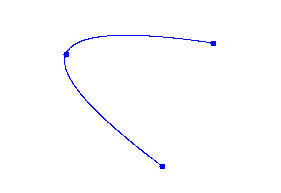
Create a curve that uses a quadratic parametric approach with three interpolated control points. The equations which describe the curve are:
\[f_x(u) = c_0 u^2 + c_1 u + c_2\]and
\[f_y(u) = c_3 u^2 + c_4 u + c_5\]where \(u\) ranges from 0.0 to 1.0. The first control point \(p_0\) is for \(u=0\), the second \(p_1\) for \(u=0.5\), and the third for \(p_2\) and at \(u=1.0\).
Modify the file DotToDotDemo to implement your solution. It is sufficient for this task to get the program working with three control points, but you are most welcome to attempt a solution that works on four or more.
Task 2
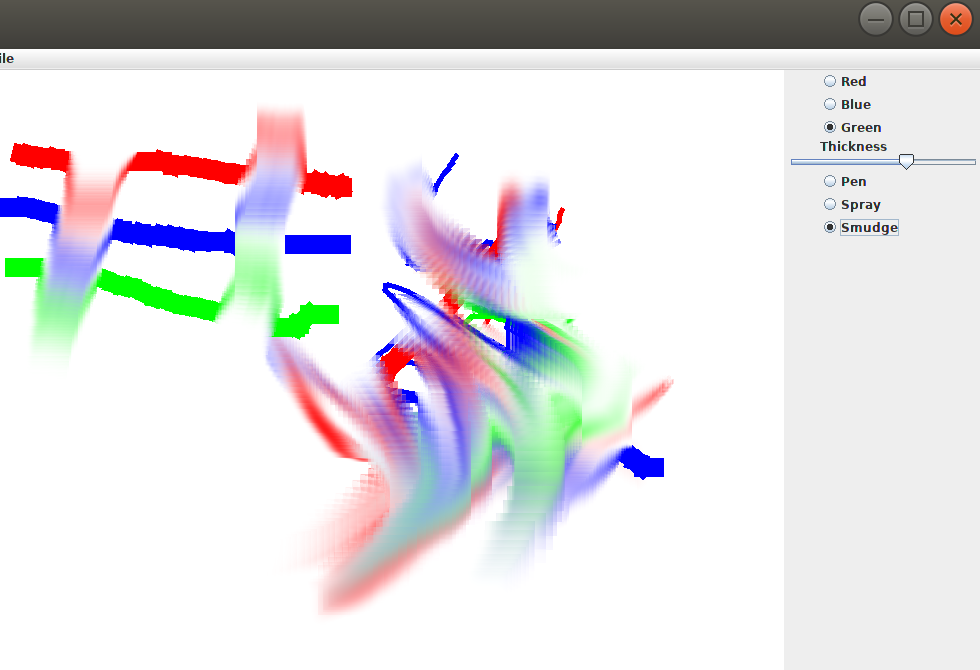
DrawIt is a simple paint application. We have provided a pen tool which allows the user to paint colours onto the canvas. Your task is to add a “smudge” tool. The smudge tool simulates pushing paint around with a brush that has not yet dried. Where the paint moves and mixes as you smudge across the canvas. To implement this, you will need to obtain a square of pixels from the source location and a square of pixels from the destination location and mix them into the destination location. As these patches are usually overlapping, it is simpler to read and mix them off-canvas, then write them onto the canvas in one go.
Concretely, your task is to implement the “smudge” method in DrawArea.java, per the specification above.
Hint: this method might be helpful…
Task 3
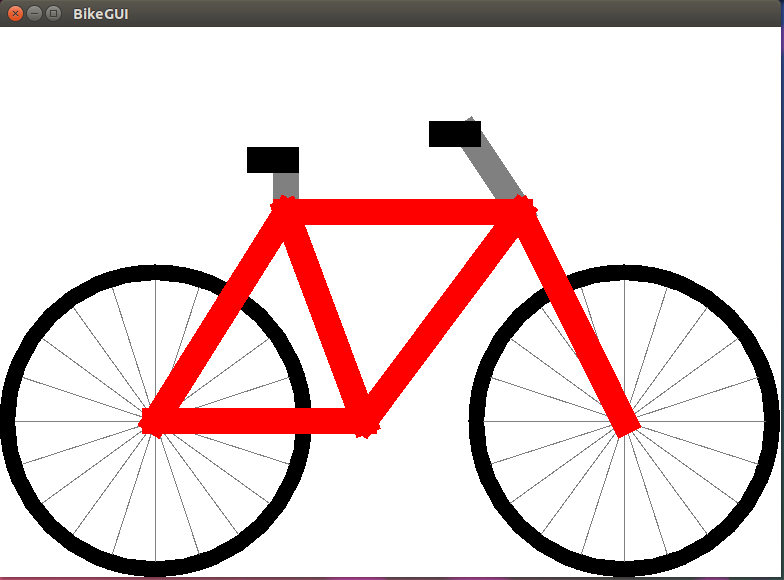
Your task is to draw a bicycle using a hierarchical modelling approach. This will involve modifying the drawWheel method which draws a bicycle wheel. The coordinates for which should be given in centimetres with the centre at the hub. The wheel should have an (outer) radius of 30cm.
The wheel should have a black tire and grey spokes. There is also a second method, drawBike, which draws the bicycle. This has been done for you and may not be modified. Its coordinates are also in centimetres, and (0,0) should be between the two wheels on the ground. The distance between the hubs of the wheels is 90cm. The bicycle should be drawn at the bottom of the panel and be sized such that the wheels just touch the left and right sides of the panel. When the user changes the window’s dimensions, the bike must adjust in scale accordingly. If the panel’s height is too small, just let the top of the bike clip off the top and not be seen.
We have created BikeGUI as a starting point for your solution. Modify this file so that the bike is drawn as specified above. You must use the drawBike method without modifying it.
Bonus Task
Important: Because the changes required to solve this task involves breaking the spec for Task 3, make sure, if you attempt this, to provide your solution in the separate BonusBike file rather than modifying BikeGUI.
Your task is to animate the bike’s wheels such that they rotate and use the provided slider to control their angular velocity/direction. You may even want to scale the bike down and modify its location to move along with the wheels. In this case, try to get the bike’s motion such that the wheels do not appear to slide around on the floor. Of course, bonus tasks are always open-ended, so be creative and see what you can do…
As always, bonus tasks are completely optional, not marked, and just for fun. If you create something cool, make sure to show your tutor, and it might even end up in next week’s lecture :)