JOGL
We make use of the Java OpenGL library JOGL. As always, our lab assignments have been built for the lab computers and have been tested on these machines. We can not guarantee that personal devices can run the lab code. With that in mind, we do provide some instructions for setting up JOGL below.
Installation
To simplify things, we include JOGL files for most common devices under the lib folder of the labs repos. So long as this library folder is included in your classpath, everything should work without modification.
You can check this is set correctly in IntelliJ here,
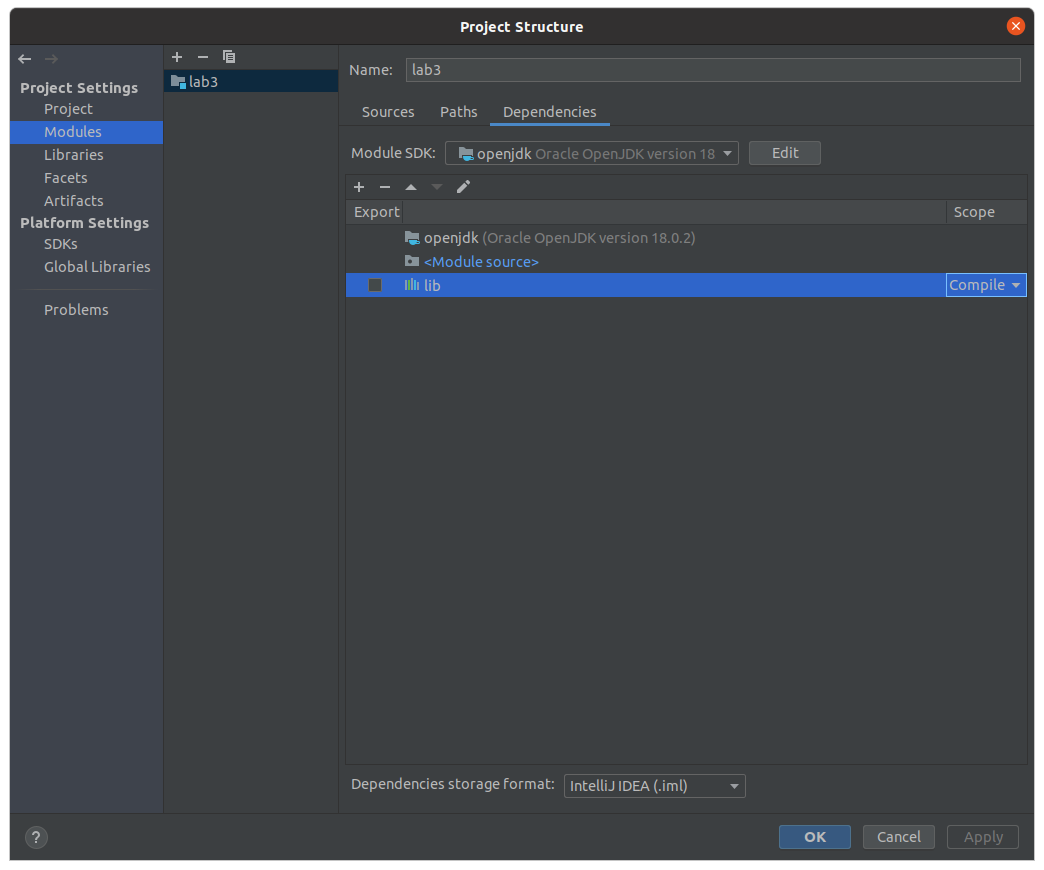
with ‘compile’ next to lib (it should be setup like this by default on the lab repos).
If, for some reason, you need to manually install JOGL (this shouldn’t be necessary in almost all cases), then here’s what you need
- We use JOGL 2.4.0 RC-20210111 (earlier versions, including 2.3.2, have serval issues, and can be very hard to get working.)
- Instructions on installing manually are here.
JOGL on the VDI
JOGL works just fine on the VDI, albeit a bit slowly. However, when using shaders, you will have to modify the line at the top of each shader files from #version 460 to #version 140. Version 140 (1.4) has all the features required to complete labs and assignments.
Running from the command prompt
If you have trouble getting JOGL working from your IDE you can try running it from the command prompt as follows
java -cp "lib/*" src/Lab3_T1.java
Note, the inclusion of the lib folder, which contains the JOGL files needed.
M1/M2 Macs
We found that we were able to get JOGL working on an M2 Mac by installing a version of OpenJDK that uses the intel binaries rather than the arm (aarch64) ones. That is, you want to use the the highlighted version below.
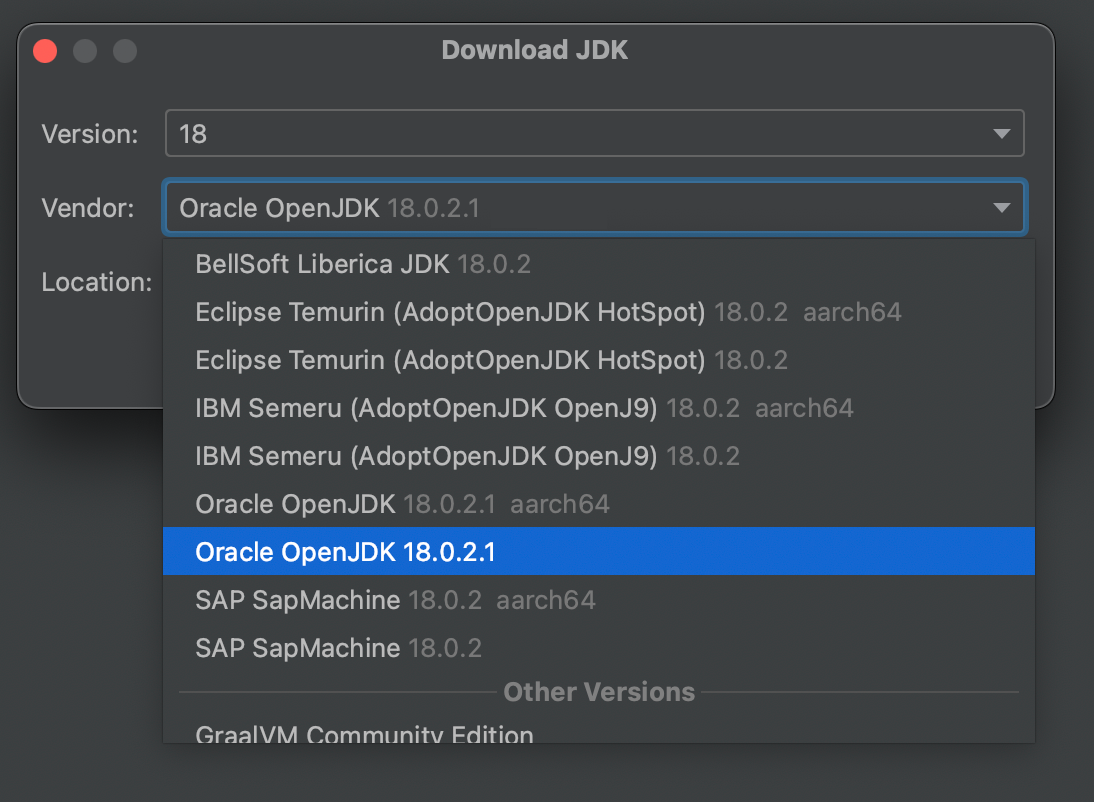
If you receive a “Can’t load library” error, you are probably using the native aarch64 binaries and need to switch to the intel ones.
You may also run into a problem caused by poor backwards support for OpenGL 2.0 on OSX. We provide a work around for this in the lab code, and it’s seems to work fine on our machine.